LIbgdx旗下的gdx-ai库提供了大量使用的AI算法,其中包括了最常见的有限状态机FSM。
gdx-ai是一个普通的java库,并不存在平台相关依赖,所以直接在core中引入就可。
dependencies {
        compile "com.badlogicgames.gdx:gdx-ai:1.7.0"
    }
StateMachine是有限状态机的接口,对应的实现目前有两个DefaultStateMachine和StackStateMachine。
StackStateMachine以栈的形式保存状态,所以可以提供了方法获取上一个状态,一般使用DefaultStateMachine就行了。
FSM的例子很多,我们直接来一个简单的。
首先主体对象是人,而人只有两个状态,一个走路,一个打伞。
状态切换的条件是时间,也就是假定下雨的时间符合一定的条件。
首先创建一个Person类
public class Person extends Image {
    private TextureRegion walk;
    private TextureRegion rain;
    private StateMachine<Person, PersonState> stateMachine;
    private float time;

    public Person(final TextureRegion walk, final TextureRegion rain) {
        super(walk);
        this.walk = walk;
        this.rain = rain;
        stateMachine = new DefaultStateMachine<Person, PersonState>(this, PersonState.WALK);
    }

    public void showRain() {
        setDrawable(new TextureRegionDrawable(rain));
        setSize(getPrefWidth(), getPrefHeight());
    }

    public void showWalk() {
        setDrawable(new TextureRegionDrawable(walk));
        setSize(getPrefWidth(), getPrefHeight());
    }

    public void update(float delta) {
        time += delta;
        stateMachine.update();
    }
}
当初始化时默认状态是没有下雨了,而界面的表现就是显示不同的图片
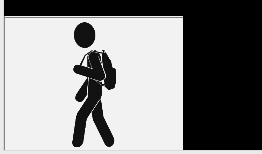

而time就是总共经历的时间
在最关键状态处理逻辑,包括进入,更新,退出,接受消息,是放在对应的State中的。这里我们不考虑接受消息的情况,所以永远返回false。
public enum PersonState implements State<Person> {
    WALK {
        @Override
        public void enter(Person entity) {
            entity.showWalk();
        }

        @Override
        public void update(Person entity) {
            float v = entity.getTime() % 10;
            if (v >= 6 || v <= 4) {
                entity.getStateMachine().changeState(PersonState.RUN);
            }
        }

        @Override
        public void exit(Person entity) {
        }

        @Override
        public boolean onMessage(Person entity, Telegram telegram) {
            return false;
        }
    },
    RUN {
        @Override
        public void enter(Person entity) {
            entity.showRain();
        }

        @Override
        public void update(Person entity) {
            float v = entity.getTime() % 10;
            if (v < 6 && v > 4) {
                entity.getStateMachine().changeState(PersonState.WALK);
            }
        }

        @Override
        public void exit(Person entity) {
        }

        @Override
        public boolean onMessage(Person entity, Telegram telegram) {
            return false;
        }
    }
}
当在update中切换状态时,会自动触发对应的进入(enter)事件,所以也不需要额外的处理。
切换状态时的对应代码实现
@Override
	public void changeState (S newState) {
		// Keep a record of the previous state
		previousState = currentState;

		// Call the exit method of the existing state
		if (currentState != null) currentState.exit(owner);

		// Change state to the new state
		currentState = newState;

		// Call the entry method of the new state
		if (currentState != null) currentState.enter(owner);
	}
参考资料:
https://github.com/libgdx/gdx-ai/wiki/State-Machine
发表回复